Intelligence Engine
AST-driven code knowledge graphs with hybrid search – Kuzu graph + LanceDB vectors + BM25 full-text across 54 indexed projects.





What It Does
- Parses source code into knowledge graphs – functions, classes, methods, modules, and interfaces become queryable graph entities with full relationship mapping
- Hybrid search across three strategies – BM25 keyword matching, semantic vector search via LanceDB, and graph context expansion work together to find exactly what you need
- Interactive graph visualization – Sigma.js force-directed layouts let you explore code relationships visually, with filtering, zoom, and entity detail panels
- AI-powered analysis – Entity summarization, natural language Q&A, batch analysis, and wiki generation powered by Claude, OpenAI, Gemini, or Ollama
Key Capabilities
| Capability | Description |
|---|---|
| AST Parsing | 6 languages supported: Python, JavaScript, TypeScript, TSX, Java, Go |
| Knowledge Graph | KuzuDB-backed graph with full Cypher query support |
| Hybrid Search | Triple-strategy: BM25 keyword + semantic vector + graph context expansion |
| Cross-Project Search | Shared KuzuDB mode indexes 54 projects in a single queryable graph |
| Code Quality Metrics | Cyclomatic complexity, documentation coverage, coupling analysis, fan-in/fan-out |
| Health Analysis | Dead code detection, circular dependency finder, hub identification |
| Change Impact | Blast radius calculation – see every downstream caller affected by a change |
| AI Summarization | Multi-provider support: Claude, OpenAI, Gemini, Ollama |
| Wiki Generation | Auto-generate documentation from graph structure |
| Memory System | Unified KuzuDB graph + Minna memories for persistent knowledge |
| 33 Cypher Templates | Pre-built queries for common analysis patterns |
| Incremental Indexing | Git diff-based updates – only re-index what changed |
MCP Tools
Intelligence Engine exposes 15 tools via the Model Context Protocol:
| Tool | Description |
|---|---|
ie_index |
Index a project – parse source code into the knowledge graph |
ie_status |
Check indexing status for a project |
ie_search_all |
Cross-project hybrid search across all indexed projects |
ie_query |
Search within a single project using hybrid strategies |
ie_context |
Get full context for an entity – callers, callees, blast radius |
ie_cypher |
Run arbitrary Cypher queries against the knowledge graph |
ie_quality |
Run code quality analysis – complexity, docs, coupling metrics |
ie_health |
Health check – dead code, cycles, hubs, concentration |
ie_detect_changes |
Detect changes since last index and calculate impact |
ie_summarize |
AI-powered entity summarization |
ie_batch_summarize |
Batch summarize multiple entities |
ie_global_analysis |
Cross-project analysis and pattern detection |
ie_wiki |
Generate wiki documentation from graph |
ie_memory |
Store and retrieve persistent memories |
ie_context |
Get recent context and session state |
Web UI
The React 18 + TypeScript frontend provides 13 interactive components:
| Component | Purpose |
|---|---|
| Project Picker | Select from 54 indexed projects |
| Search Bar | Hybrid search with strategy selection (BM25, semantic, graph) |
| Graph Canvas | Sigma.js 3.0 force-directed visualization of code relationships |
| Filter Panel | Filter by entity type, language, complexity, connectivity |
| Entity Detail | Full entity view with metadata, source code, and relationships |
| History Panel | Navigation history and bookmarks |
| Source Panel | Syntax-highlighted source code with CodeMirror 6 |
| Dashboard | 6 tabs: Overview, Quality, Health, Dependencies, AI Insights, Memory |
| Cypher Console | CodeMirror 6 editor with 33 pre-built query templates |
| Settings | Configuration for AI providers, display, and search behavior |
| Batch Summarize | Queue and run AI summarization across multiple entities |
| Color Legend | Visual key for entity types and relationship categories |
| Status Bar | Live indexing progress, connection status, search metrics |
Architecture
Real-World Use Cases
Multi-Agent Dev Cycle
Multiple AI agents use Intelligence Engine as their shared knowledge backbone during a development sprint. Agent A indexes new code after each commit. Agent B searches for related implementations before writing new features. Agent C runs health checks to catch dead code and circular dependencies. Agent D queries blast radius before refactoring shared utilities. The knowledge graph becomes the single source of truth that keeps all agents aligned without direct coordination.
Test Coverage Gap Discovery
After adding code to a project, run ie_cypher to find functions without test coverage. Query for functions with high cyclomatic complexity but no test file callers. Intelligence Engine becomes a capability “enlightener” – surfacing blind spots that traditional coverage tools miss because it understands the structural relationship between production code and test code through the graph.
Post-Merge Impact Analysis
After a large PR merge, use ie_detect_changes to calculate blast radius. Which 47 downstream callers are affected? Which tests need to run? Intelligence Engine answers in milliseconds what would take a human hours of manual code tracing. The graph knows every call chain, every import, every inheritance relationship.
Cross-Project Dependency Audit
Using ie_search_all in shared mode, find every project that imports a specific utility. When updating a shared library, know exactly who depends on it across all 54 indexed projects. No more grep across dozens of repos – the knowledge graph already has the complete dependency picture.
Example Outputs
Code Quality Analysis (ie_quality)
Project: agent-comm
━━━━━━━━━━━━━━━━━━━━━━━━━━━━━━━━━━━━━━━━

Composite Score:  69.1 / 100

Complexity
  Min:     1
  Max:     43
  Average: 1.6
  Median:  1

Documentation Coverage
  39.6% (181 / 457 entities documented)

Function Length
  Min:     2 lines
  Max:     328 lines
  Average: 12.1 lines

Top Complex Functions
  main()  CC = 43
Health Analysis (ie_health)
Project: agent-comm
━━━━━━━━━━━━━━━━━━━━━━━━━━━━━━━━━━━━━━━━

Dead Code:              239 entities
Circular Dependencies:  0
Hub Count:              5
Hub Concentration:      0.724
Max Fan-Out:            main() → 44 connections
Entity Context (ie_context)
Entity: MessageSpool
━━━━━━━━━━━━━━━━━━━━━━━━━━━━━━━━━━━━━━━━

Direct Callers:  3
Blast Radius:    6 entities across 2 depth levels

Used By:
  ├── SQLiteTransport
  ├── relay_server
  └── test_spool
Cypher Query – Inheritance Hierarchies (ie_cypher)
MATCH (child)-[:INHERITS]->(parent)
RETURN parent.name, child.name
LLM Providers:
  ├── ClaudeProvider    → LLMProvider
  ├── OpenAIProvider    → LLMProvider
  ├── GeminiProvider    → LLMProvider
  └── OllamaProvider   → LLMProvider

Transports:
  ├── FileTransport     → Transport
  ├── HTTPTransport     → Transport
  └── SQLiteTransport   → Transport

Bridges:
  ├── OpenClawBridge       → Bridge
  └── OpenClawDirectBridge → Bridge
Screenshots
Graph Visualization
The main view – a force-directed graph of all code entities in a project. Each node is a function, class, method, module, or variable. Edges show CALLS, IMPORTS, EXTENDS, DEFINES, and METHOD_OF relationships.
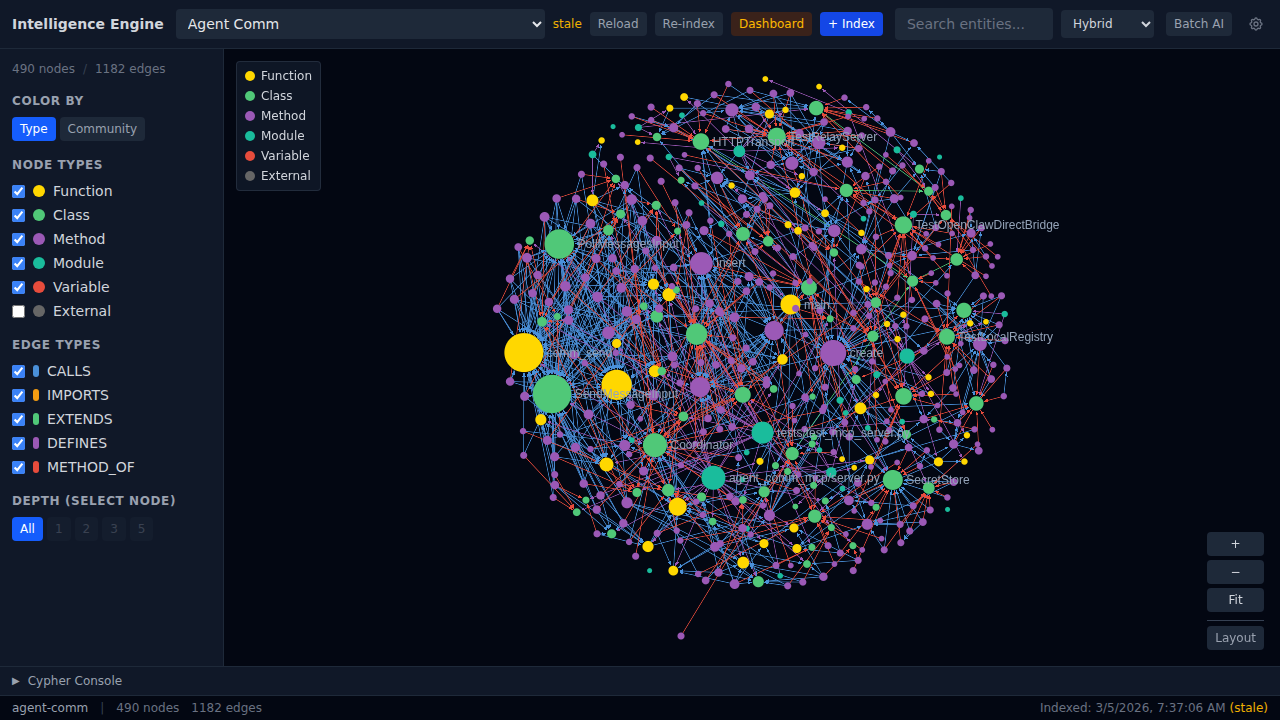 Agent Comm project: 490 nodes, 1182 edges. Color-coded by entity type.
Community Detection
Switch to Community coloring to reveal tightly-connected clusters. The modularity score measures how well the code separates into distinct modules.
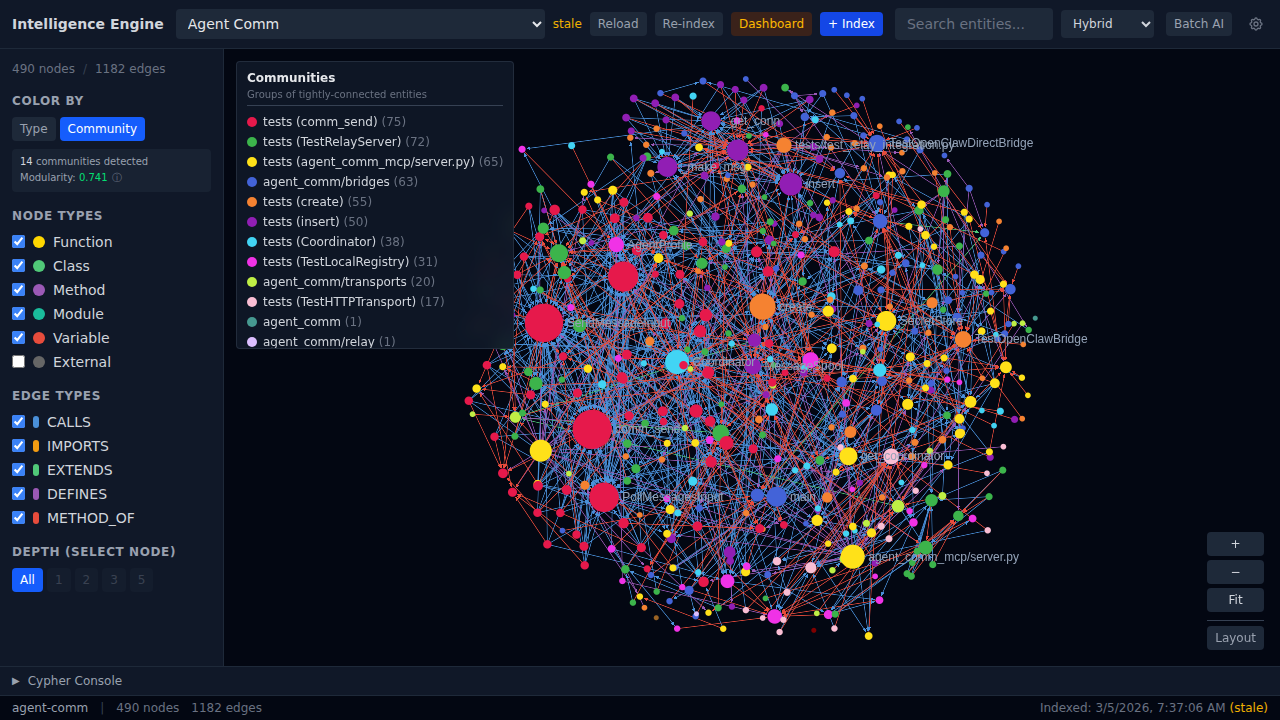 14 communities detected with 0.741 modularity. Clusters map to architectural boundaries.
Entity Detail Panel
Click any node to see its full context – file location, docstring, AI analysis buttons, caller/callee lists, source code, and Q&A history.
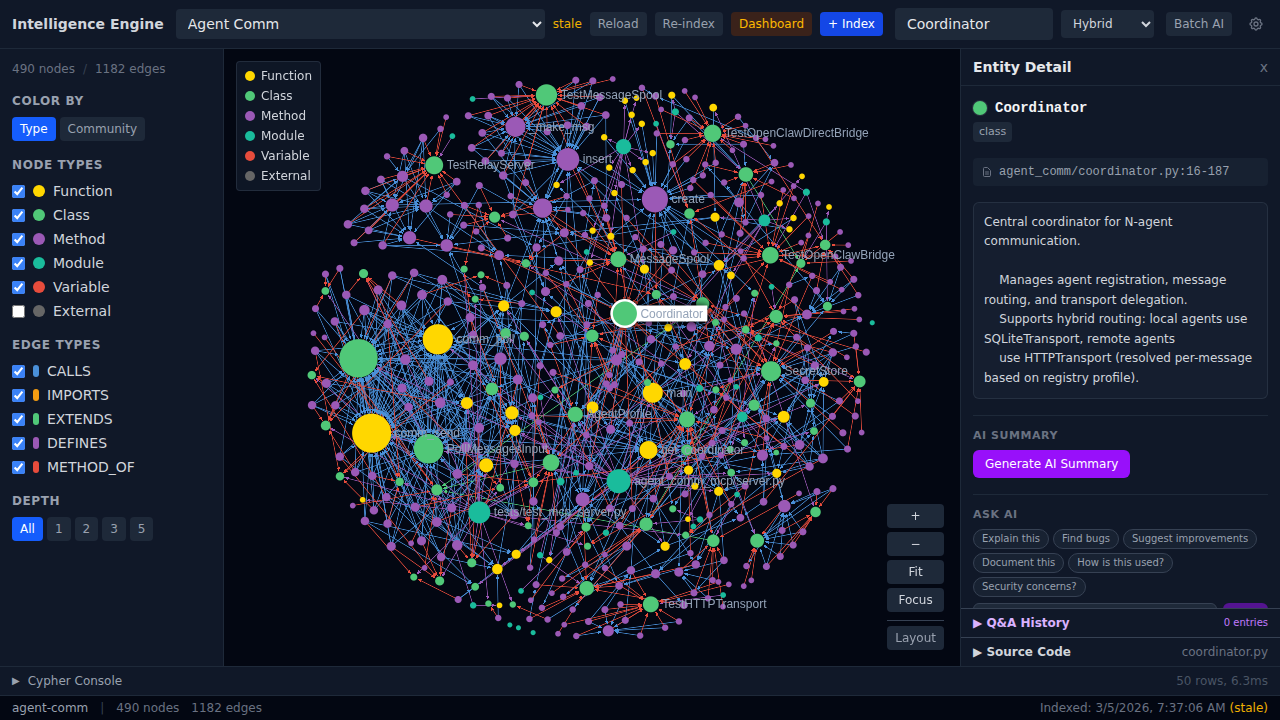 Coordinator class: file path, docstring, Ask AI buttons (Explain, Find bugs, Suggest improvements, Document, Security concerns).
Source Code Viewer
Expand the Source Code section to see syntax-highlighted code with line numbers, directly from the indexed source files.
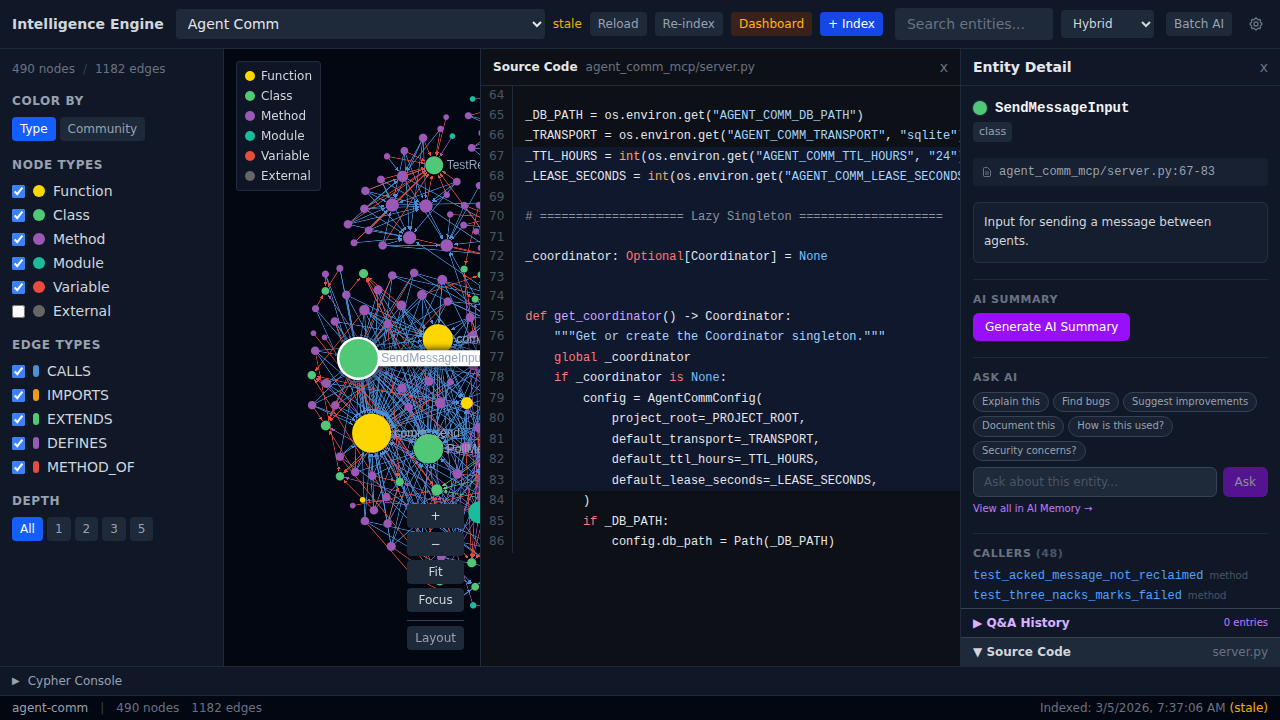 Inline source viewer with syntax highlighting – no need to switch to an IDE.
Depth-Filtered Subgraph
Select a node and set depth=1 to see only its immediate connections. Depth 2, 3, or 5 expand the neighborhood progressively.
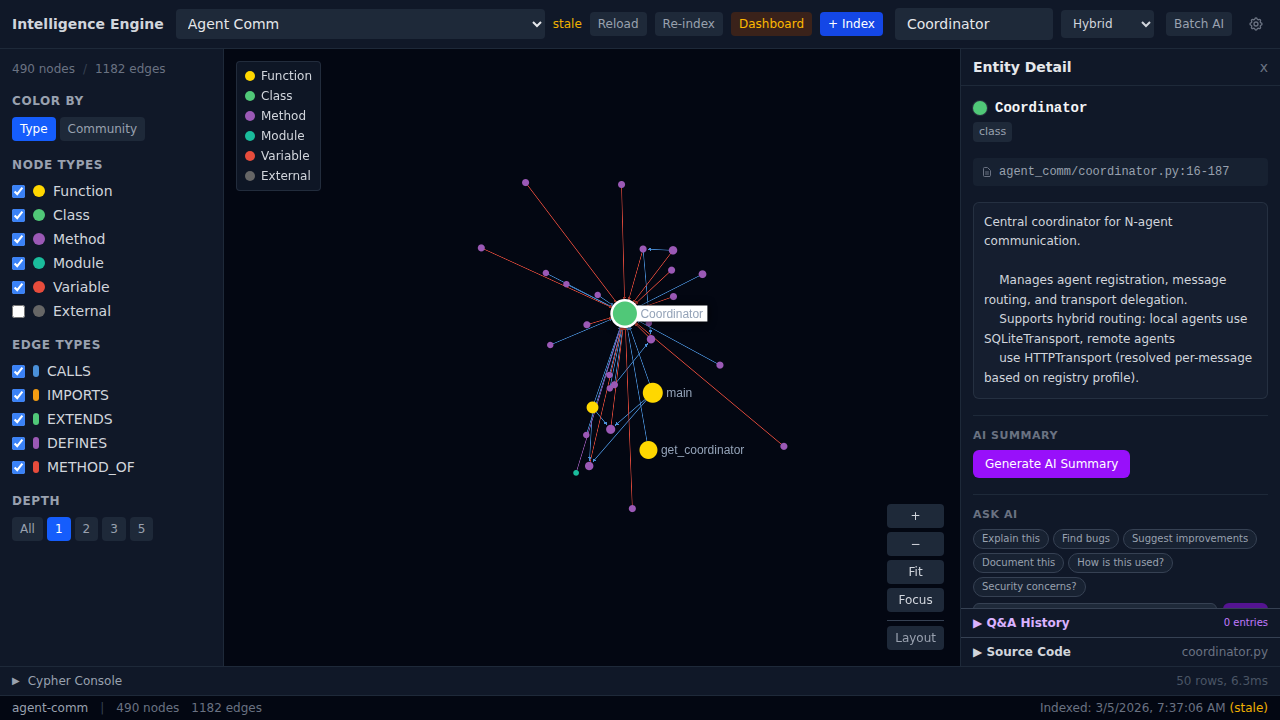 Coordinator class at depth=1 – showing direct callers, methods, and imports.
Hybrid Search
Search across entities using three combined strategies – BM25 keyword matching, semantic vector similarity, and graph context expansion.
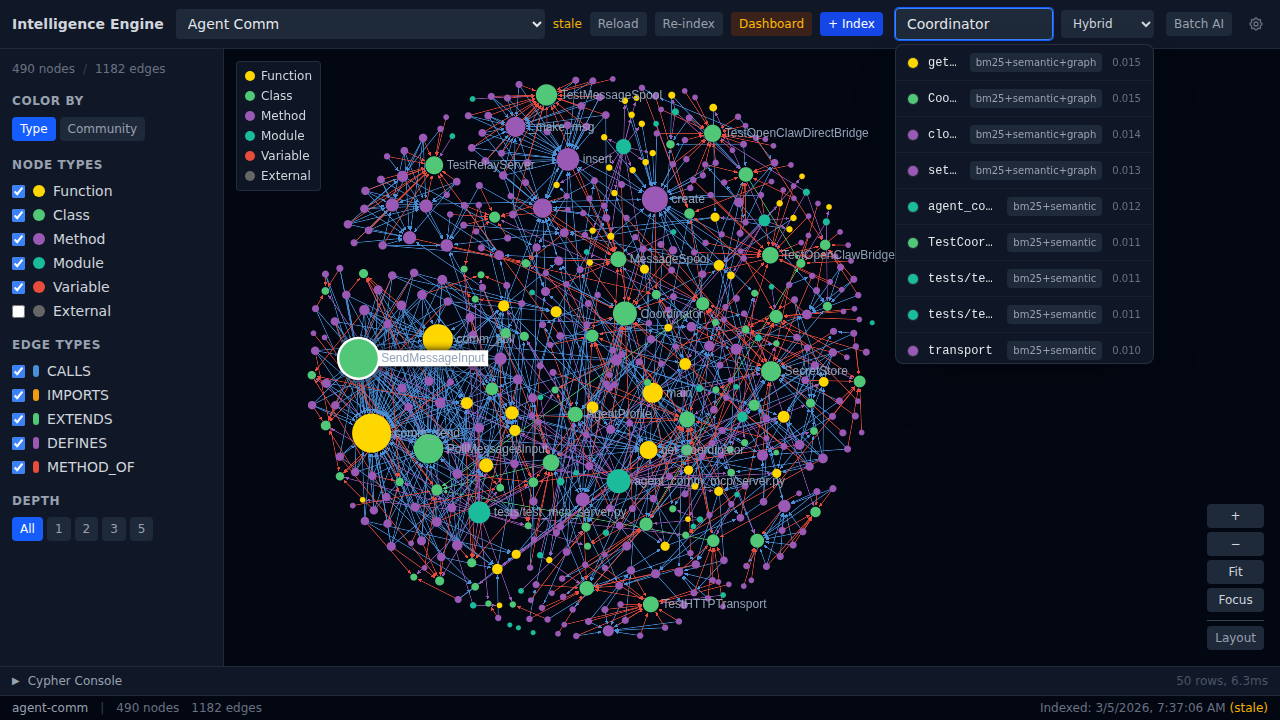 Search for “Coordinator” returns ranked results with search strategy tags and relevance scores.
Dashboard – Timeline & Phases
Track indexing history and see the breakdown of each indexing run by phase (parse, graph, BM25, semantic).
 Timeline tab: 1 run, 50.5s average, 33 files, 490 entities.
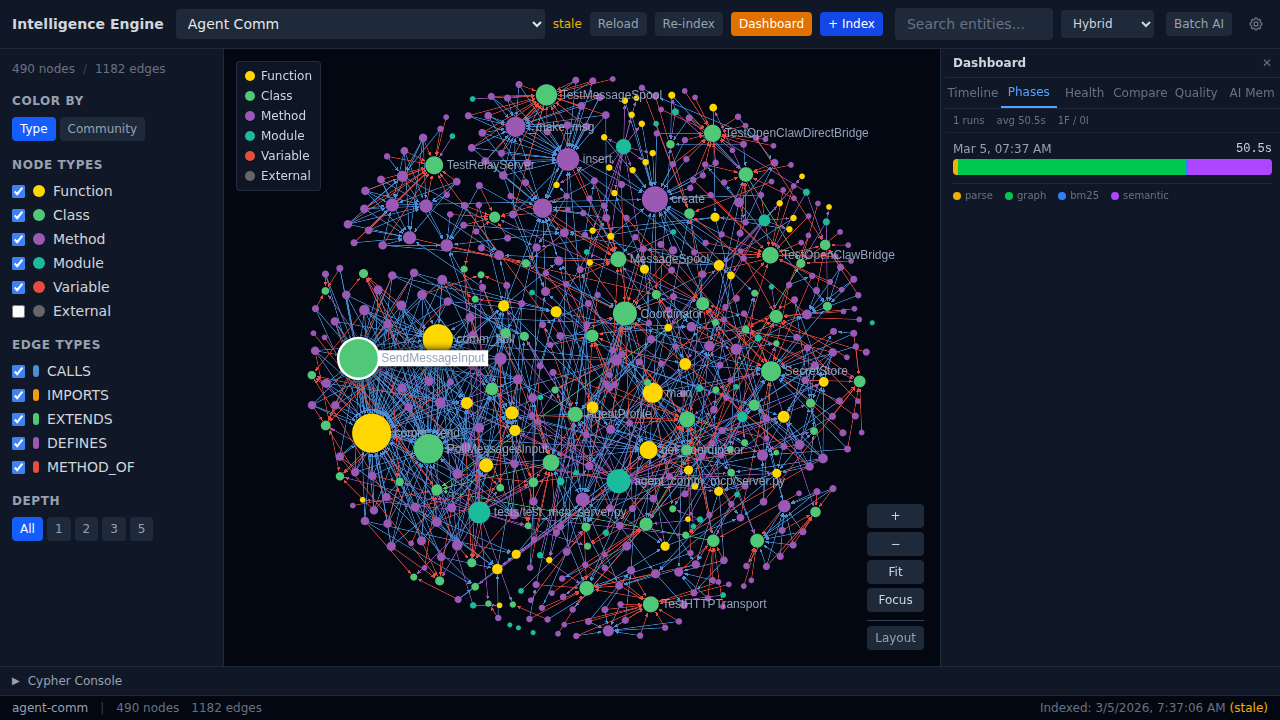 Phase breakdown showing time spent in each indexing stage.
Dashboard – Health
At-a-glance structural health metrics: dead code count, circular dependencies, and hub concentration.
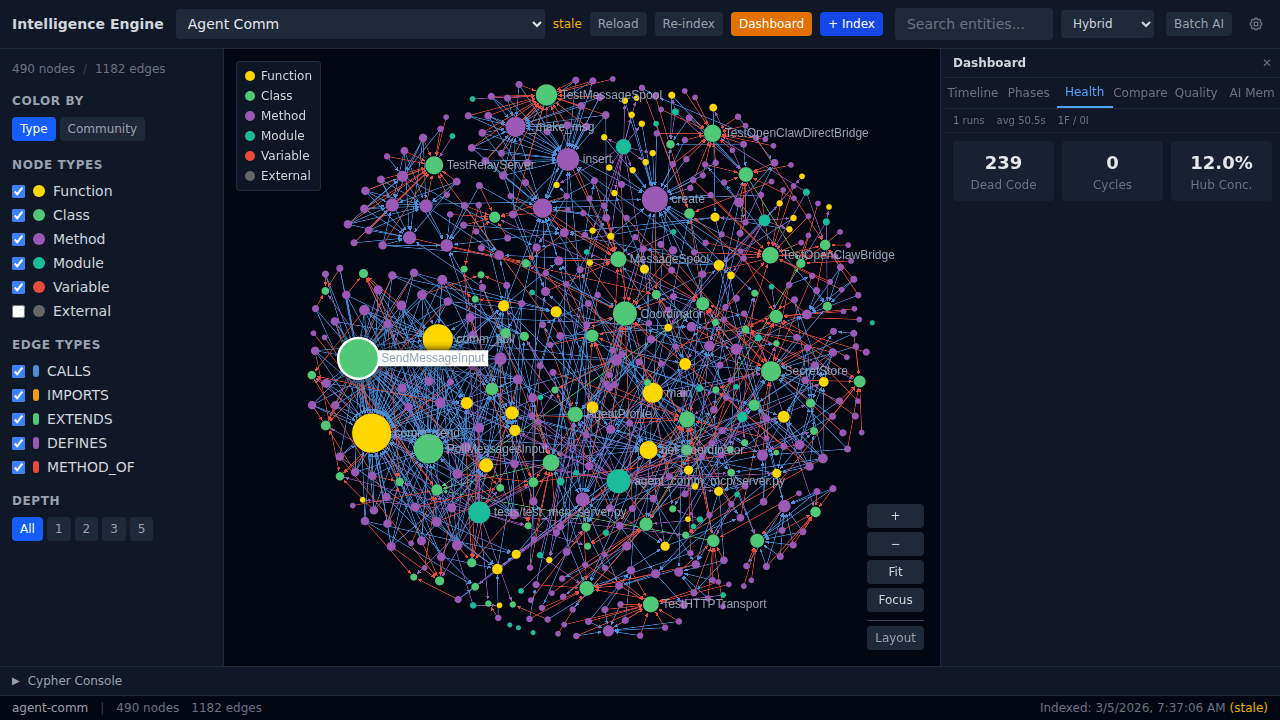 239 dead code entities, 0 cycles, 12.0% hub concentration.
Dashboard – Quality
Composite quality score with complexity distribution, most complex functions, and documentation coverage progress.
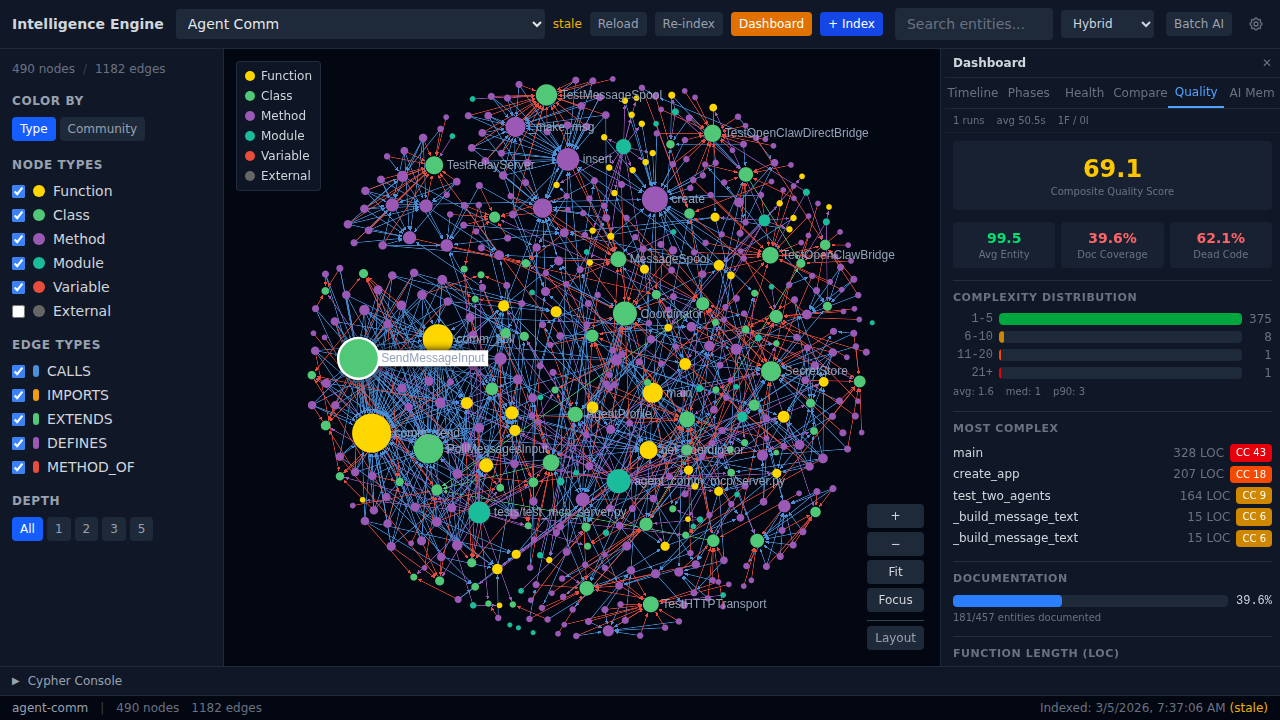 Score 69.1/100. Complexity distribution bar chart. main() at CC 43. 39.6% doc coverage.
Dashboard – Cross-Project Compare
Side-by-side comparison of all indexed projects – files, entities, indexing time, and dead code counts.
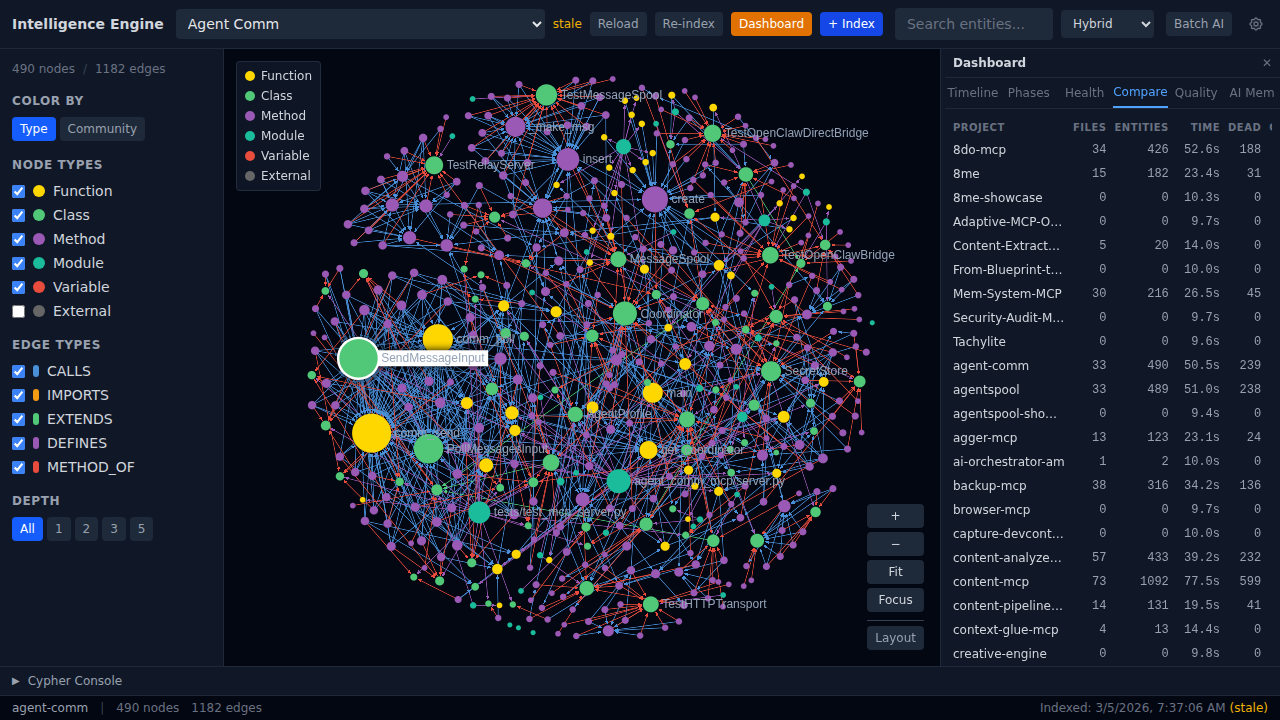 Compare tab spanning all 54 indexed projects.
Dashboard – AI Memory Browser
Unified memory browser showing KuzuDB graph knowledge and Minna persistent memories, with search and export.
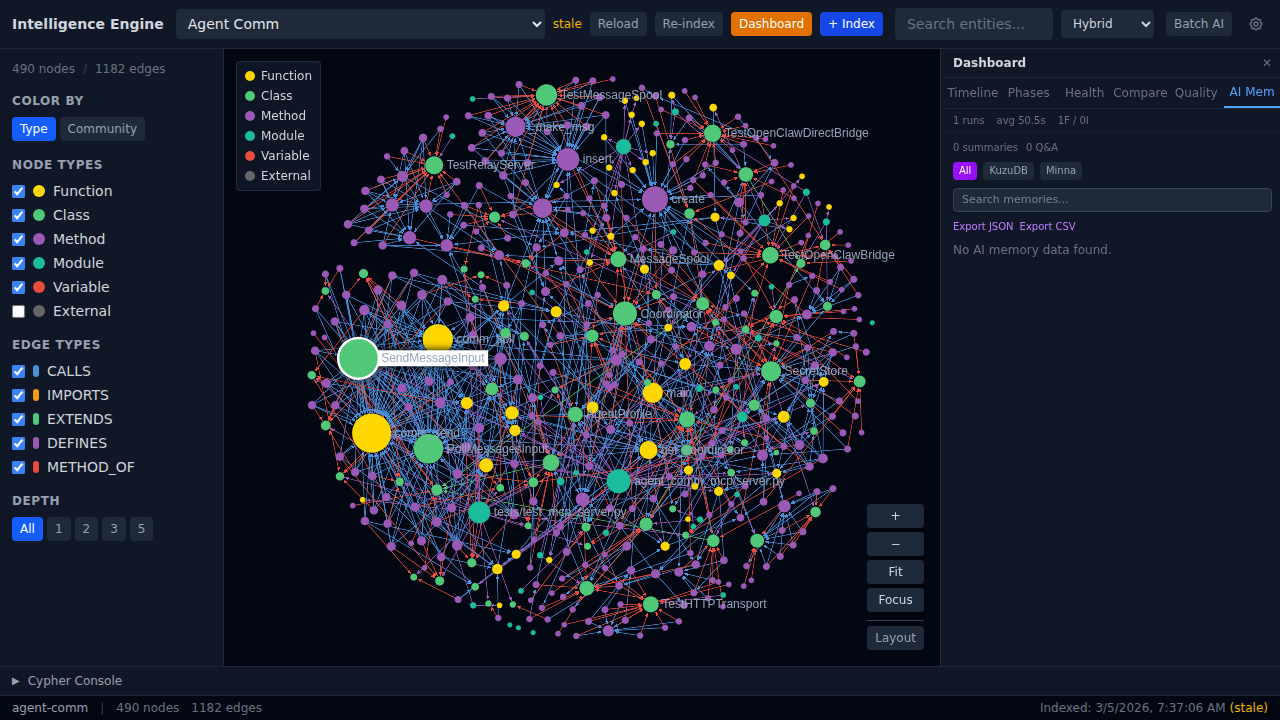 AI Memory tab with All/KuzuDB/Minna source filters, search, and JSON/CSV export.
Cypher Console
Built-in Cypher query editor with pre-built templates and tabular results. Run arbitrary graph queries against the knowledge graph.
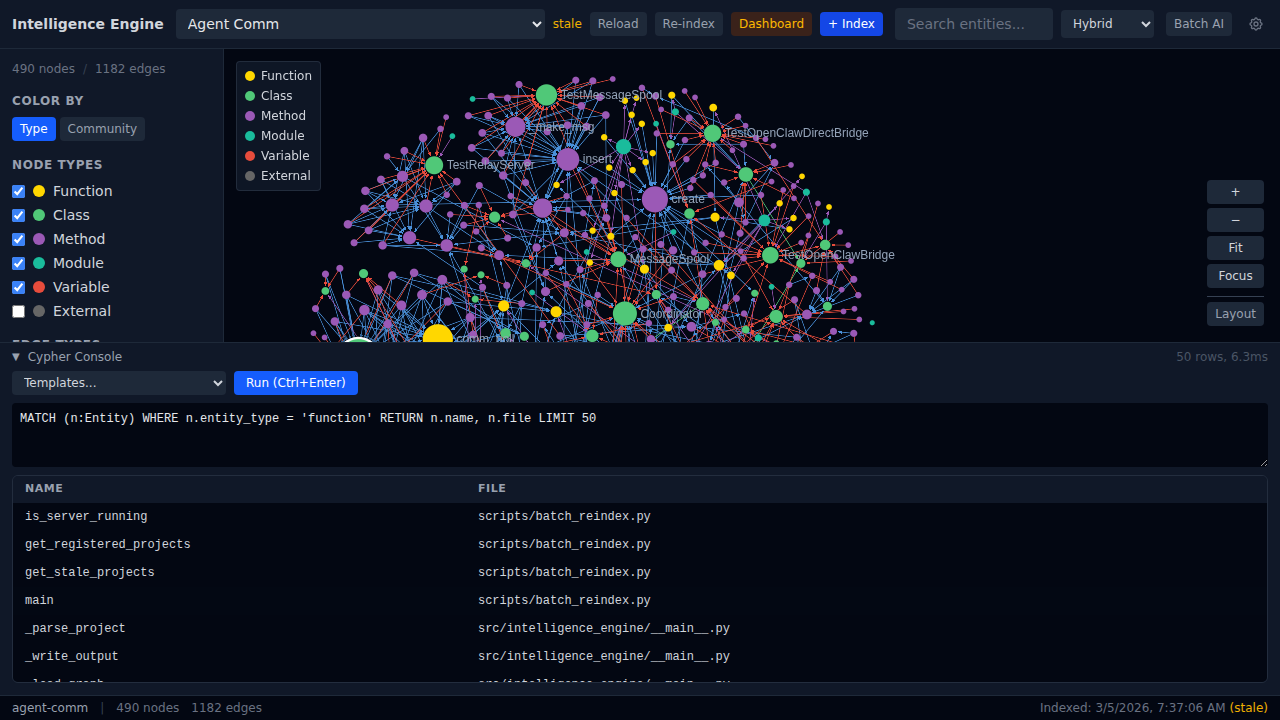 Query: MATCH functions – 50 rows in 6.3ms. Templates dropdown for common queries.
Node Type Filtering
Toggle entity types on/off to focus the graph on specific code structures.
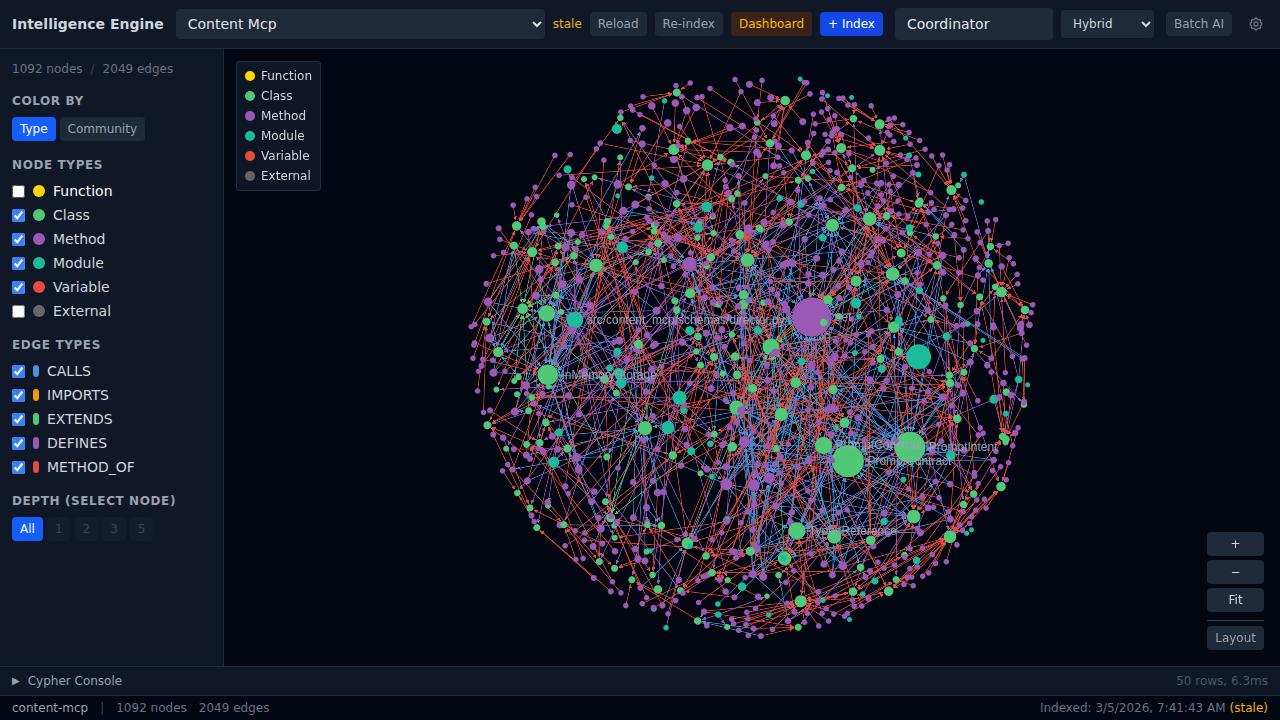 Functions hidden – only classes, methods, modules, and variables visible.
Search Mode Selection
Choose between Hybrid (all three), BM25-only, or Semantic-only search strategies.
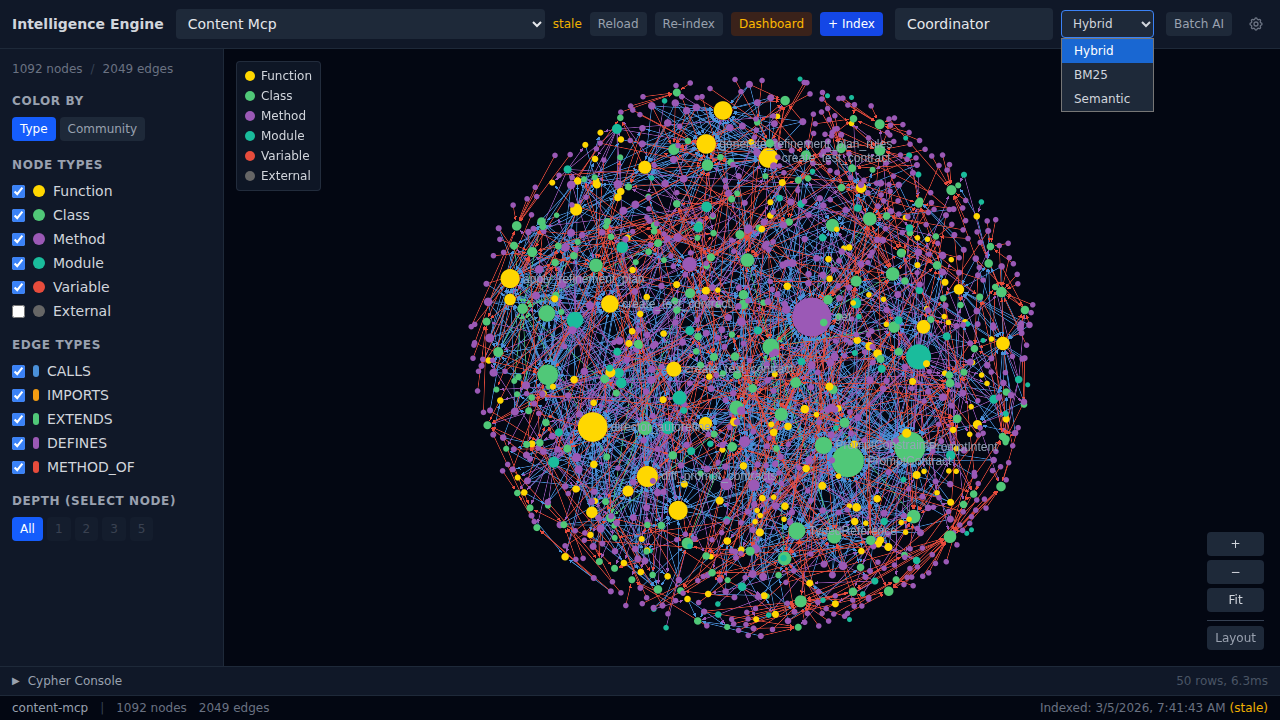 Dropdown: Hybrid, BM25, Semantic.
LLM Provider Settings
Configure multiple AI providers for entity summarization and Q&A – Claude, OpenAI, and Gemini.
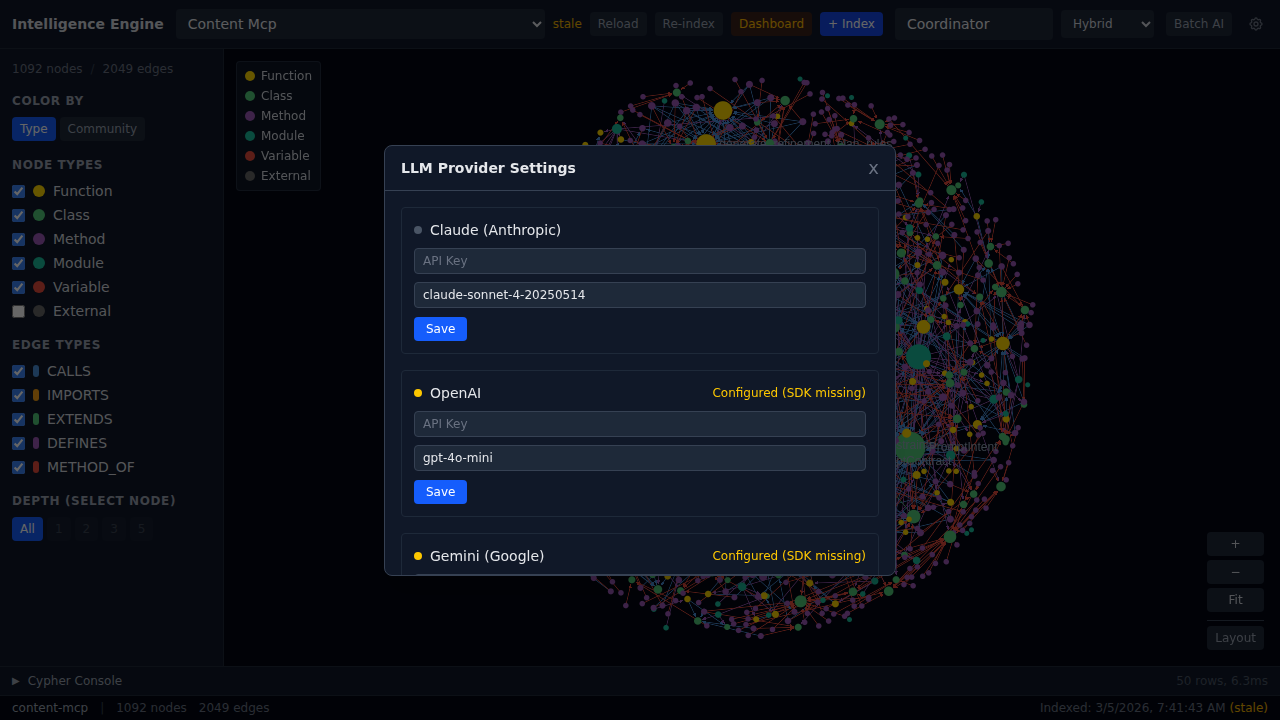 Multi-provider configuration with API key management.
Project Selection
Browse and select from all indexed projects via the dropdown.
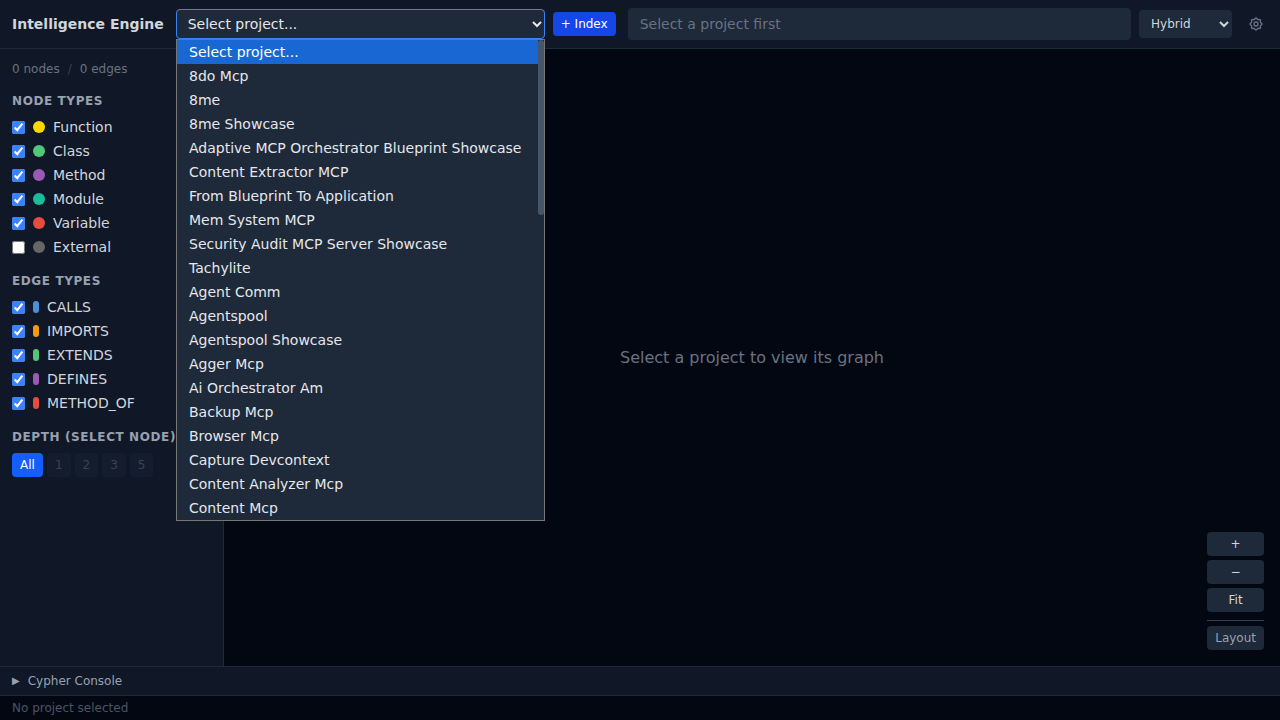 54 indexed projects available for exploration.
Large Project Visualization
Content MCP at 1092 nodes and 2049 edges – the graph handles large codebases smoothly.
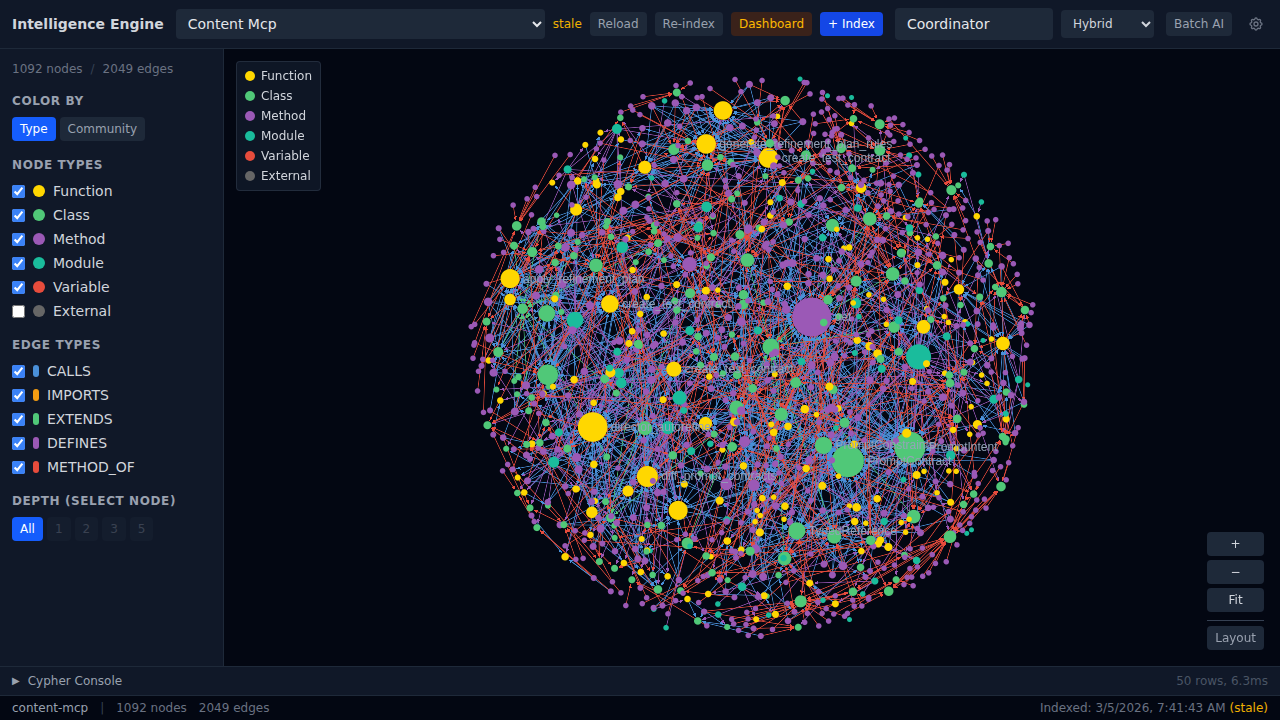 Content MCP: 1092 nodes, 2049 edges. Dense but navigable.
Interactive Demos
Quick Start
# Clone and set up
cd ~/projects/intelligence-engine
python -m venv .venv && source .venv/bin/activate
pip install -r requirements.txt

# Start the API server (port 8420)
python -m intelligence_engine.api

# Index your first project
curl -X POST http://localhost:8420/api/index \
  -H "Content-Type: application/json" \
  -d '{"project_path": "/path/to/your/project"}'

# Start the frontend
cd src/intelligence_engine/web/frontend
npm install
npm run dev
Links
- GitHub: fbratten/intelligence-engine
- Live Showcase: fbratten.github.io/intelligence-engine-showcase
- License: MIT
Intelligence Engine v0.19.1 – 958 tests passing, 54 projects indexed, 6 languages supported.